Product 02 · Web app · Live

Liver Volumetry &
Resection Planning.

Automatic 8-segment Couinaud mapping, interactive cut-plane resection simulation, and instant FLR/GRWR calculation — from CT upload to a Safe/Caution surgical decision in minutes, not a day of manual planning.

8Couinaud segments
6resection scenarios
100%HIPAA compliant
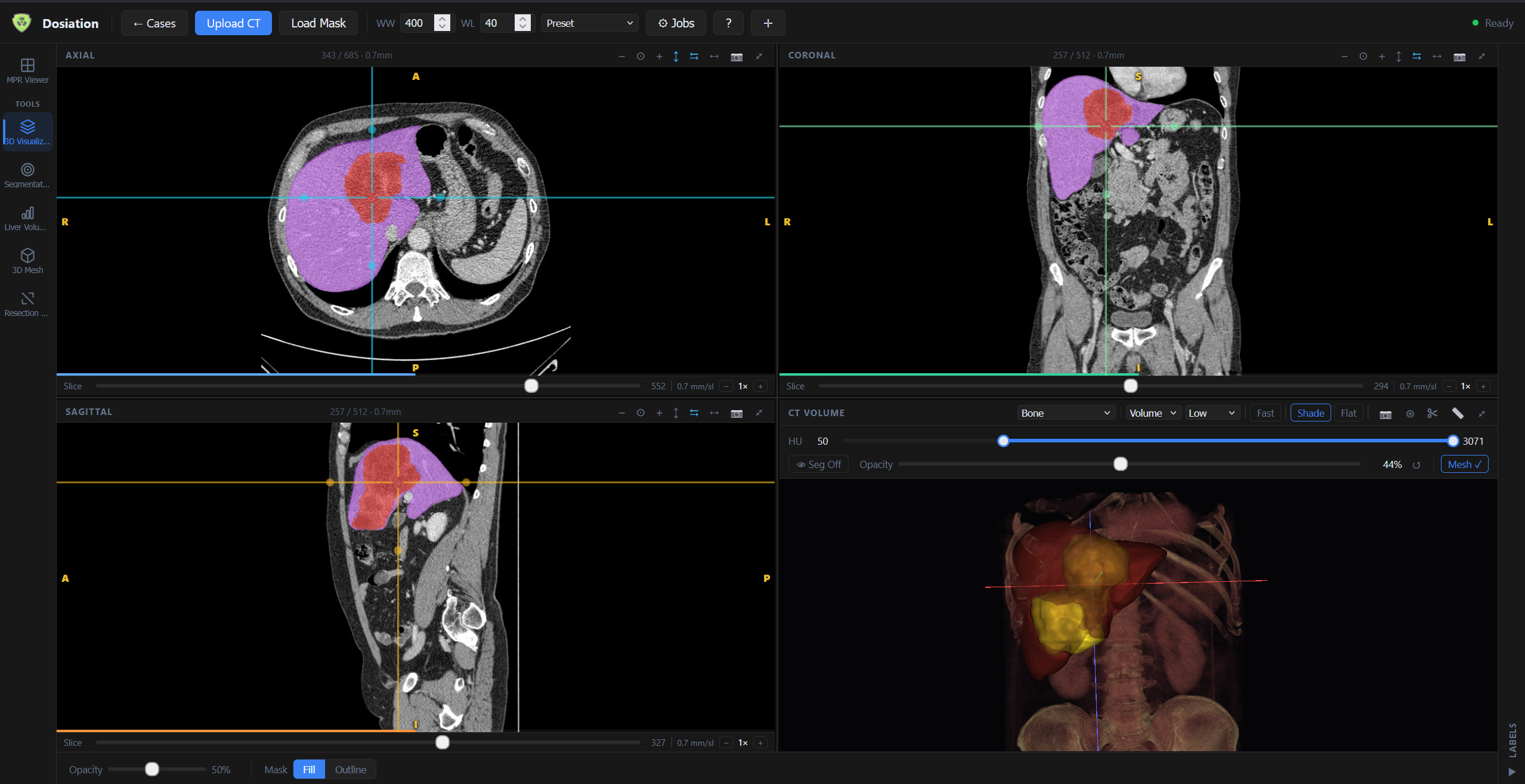
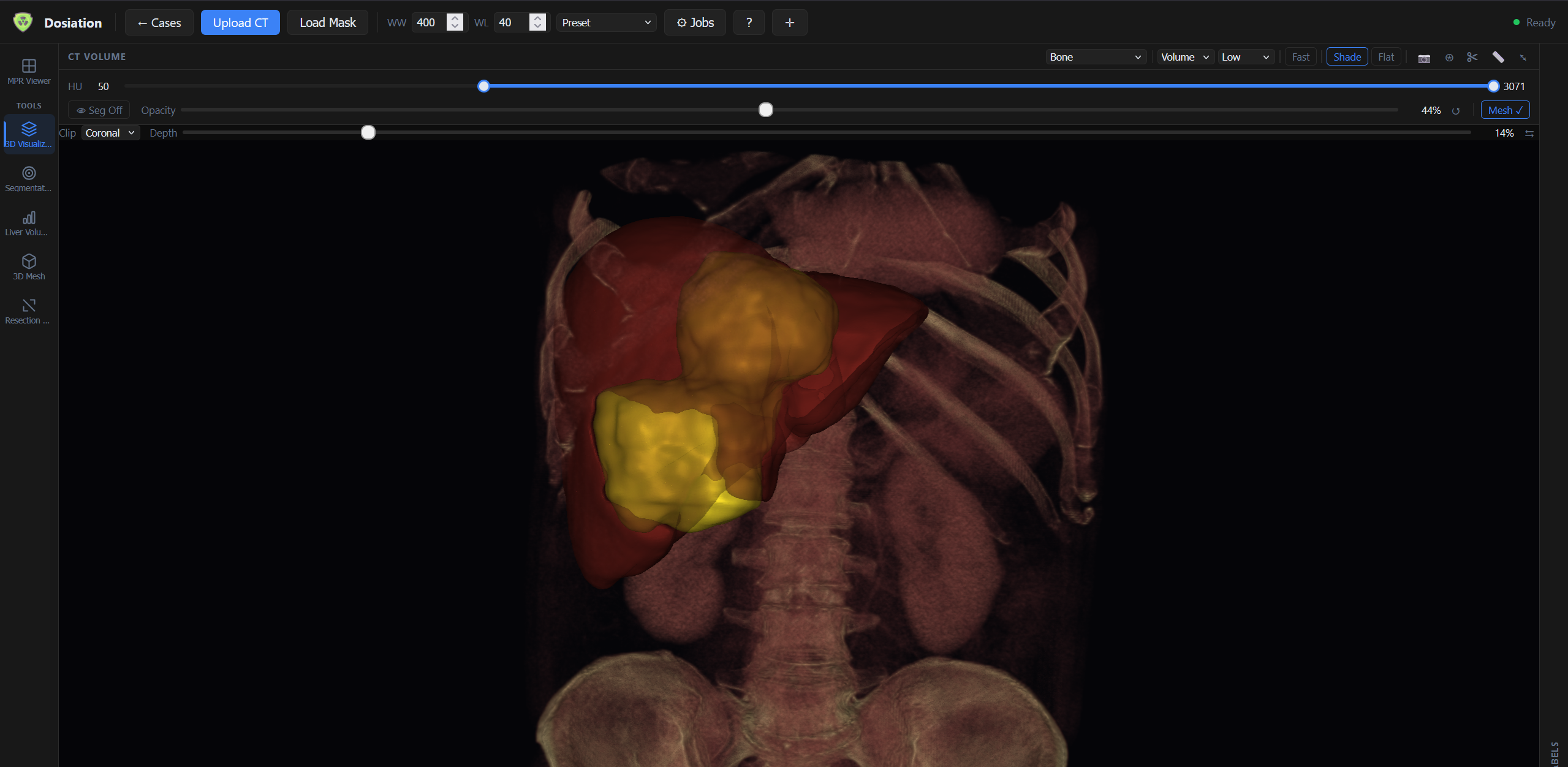
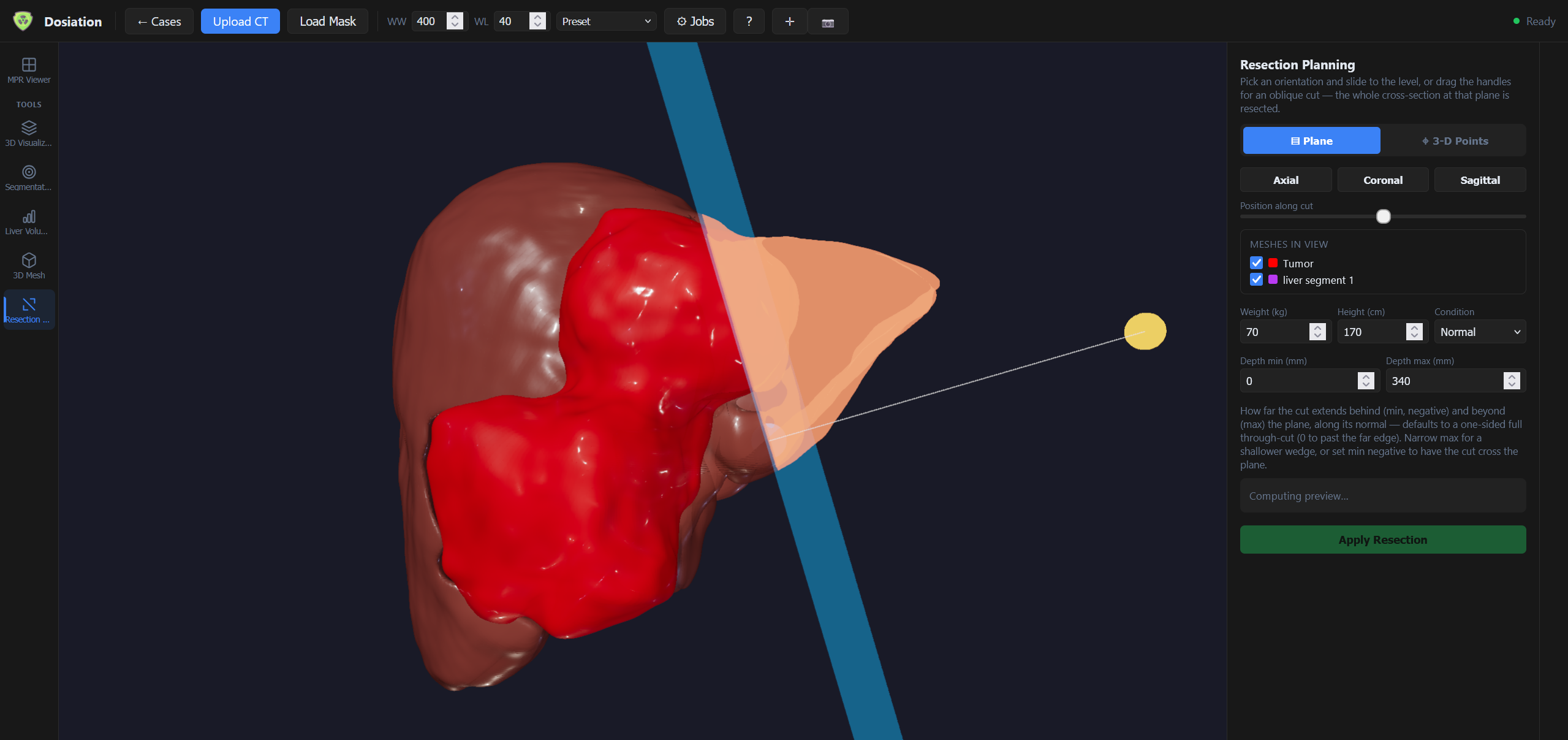
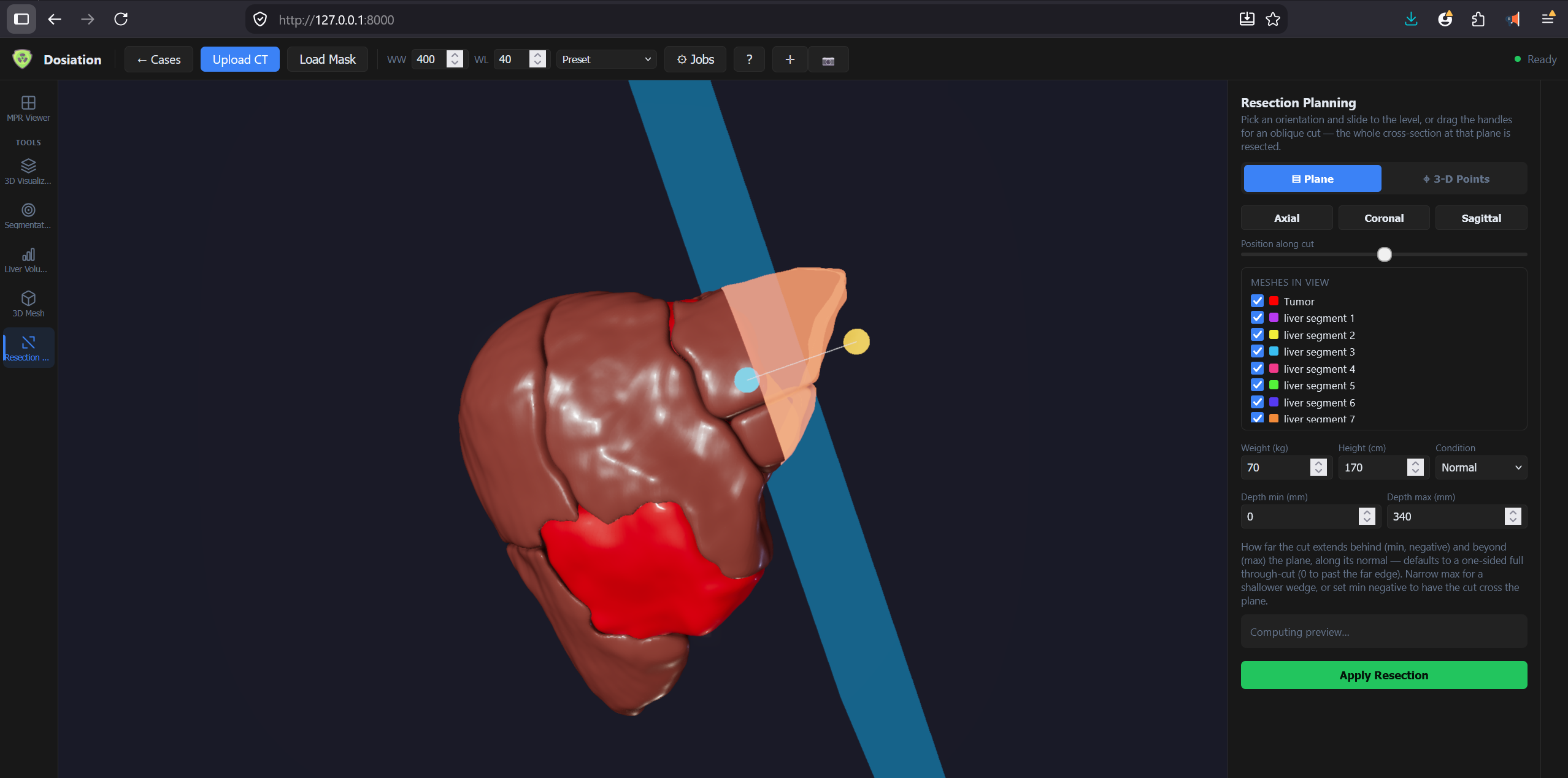
Resection planning tool — 3D liver mesh with tumor, 8 Couinaud segments, and an oblique cut plane
— What it does —

From CT volume to surgical decision.

Upload a CT series, get a fully segmented liver, a live resection simulator, and a scenario-by-scenario FLR/GRWR readout — no manual contouring, no spreadsheets.

8

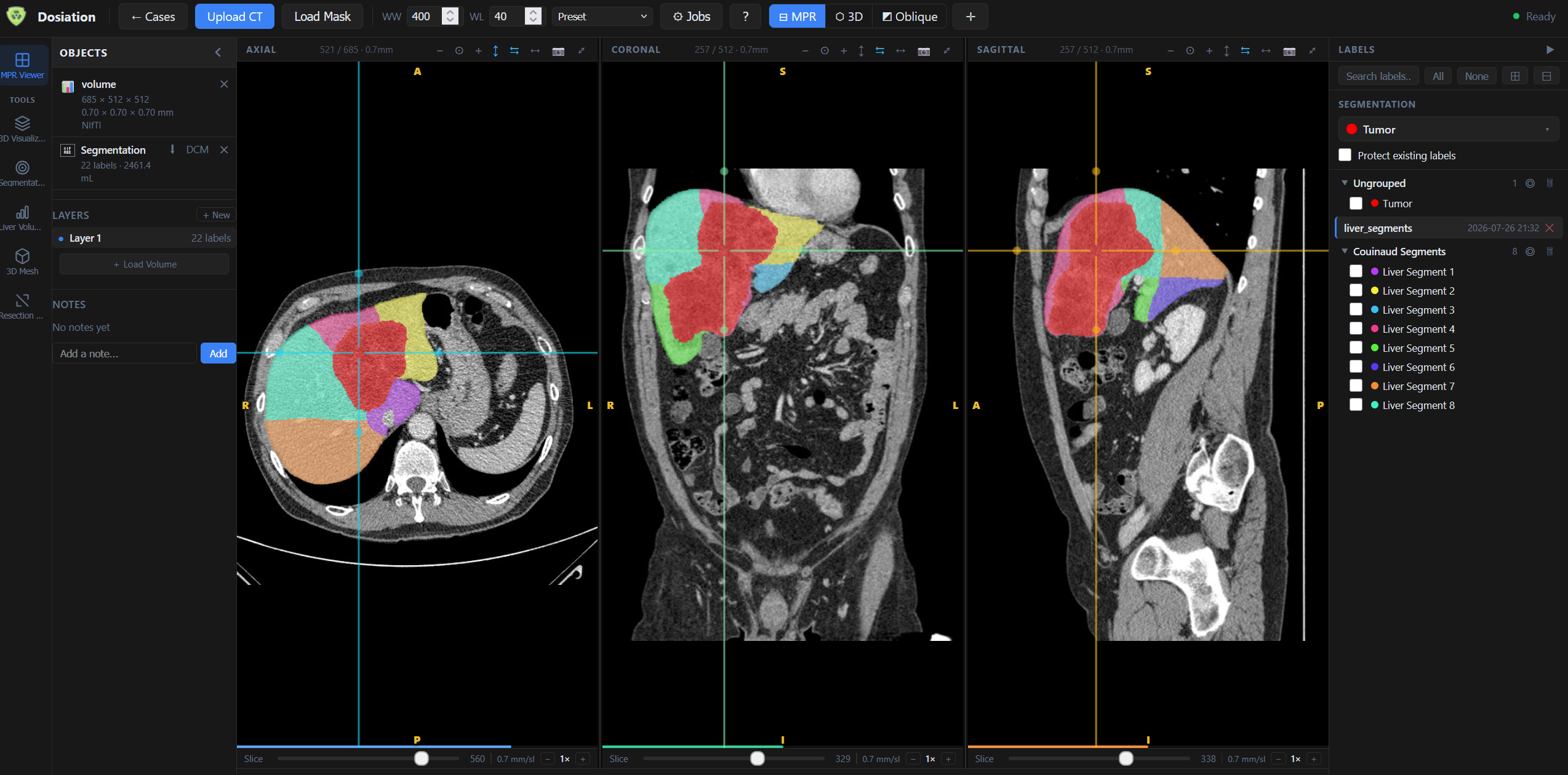
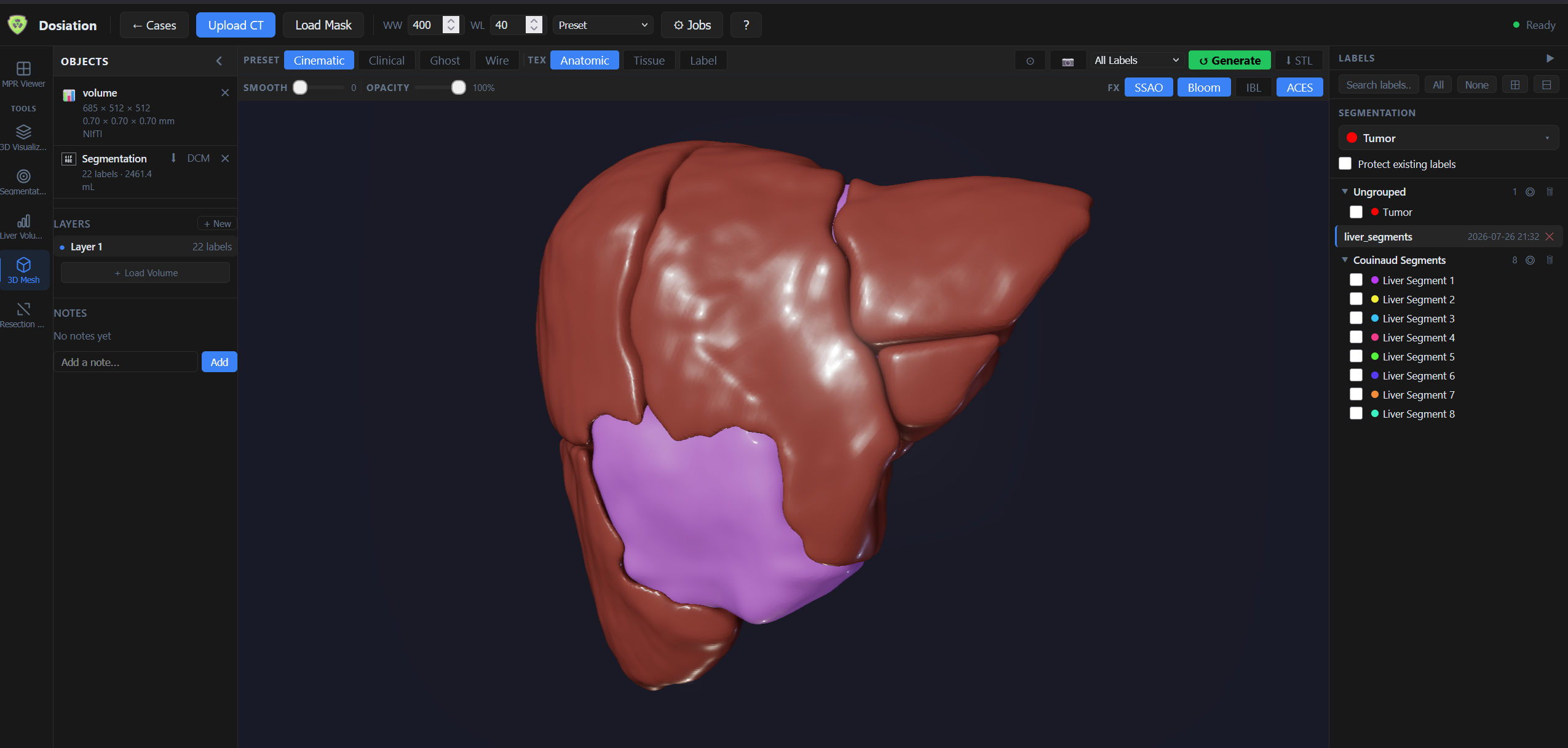
Couinaud liver segments auto-contoured — plus tumor — from a single CT or MRI volume. Color-coded across axial, coronal, and sagittal MPR planes and a synchronized 3D mesh, ready for resection planning the moment the upload finishes.

Automatic Couinaud segmentation

All 8 functional liver segments plus tumor volume, auto-contoured in one pass — toggle any segment on or off, isolate it in the 3D mesh, or inspect it slice-by-slice in fill or outline mode.

22-label segmentation, 2,400+ mL volumes computed automatically

Interactive resection planning

Pick an orientation and slide to the level, or drag handles for a fully oblique cut — the whole cross-section at that plane resects together. Depth min/max controls how far the cut extends on either side.

Plane mode or free 3-D point mode, with a live preview before you apply

Automated FLR & GRWR

Enter patient weight, height, and liver condition — normal, cirrhotic, or steatotic — and the standard liver volume (Urata formula), remnant volume, FLR%, FLR/SLV, and GRWR% are calculated instantly against clinical safety thresholds.

Min. 20% FLR · 0.8–4% GRWR acceptable range

HIPAA-first, on-premise

Runs entirely on your network via Docker. Patient imaging data and PHI never leave your infrastructure. Full audit trail and role-based access included.

Private HIPAA-compliant cloud also available with BAA
— Six scenarios, one segmentation —

Every standard hepatectomy, modeled instantly.

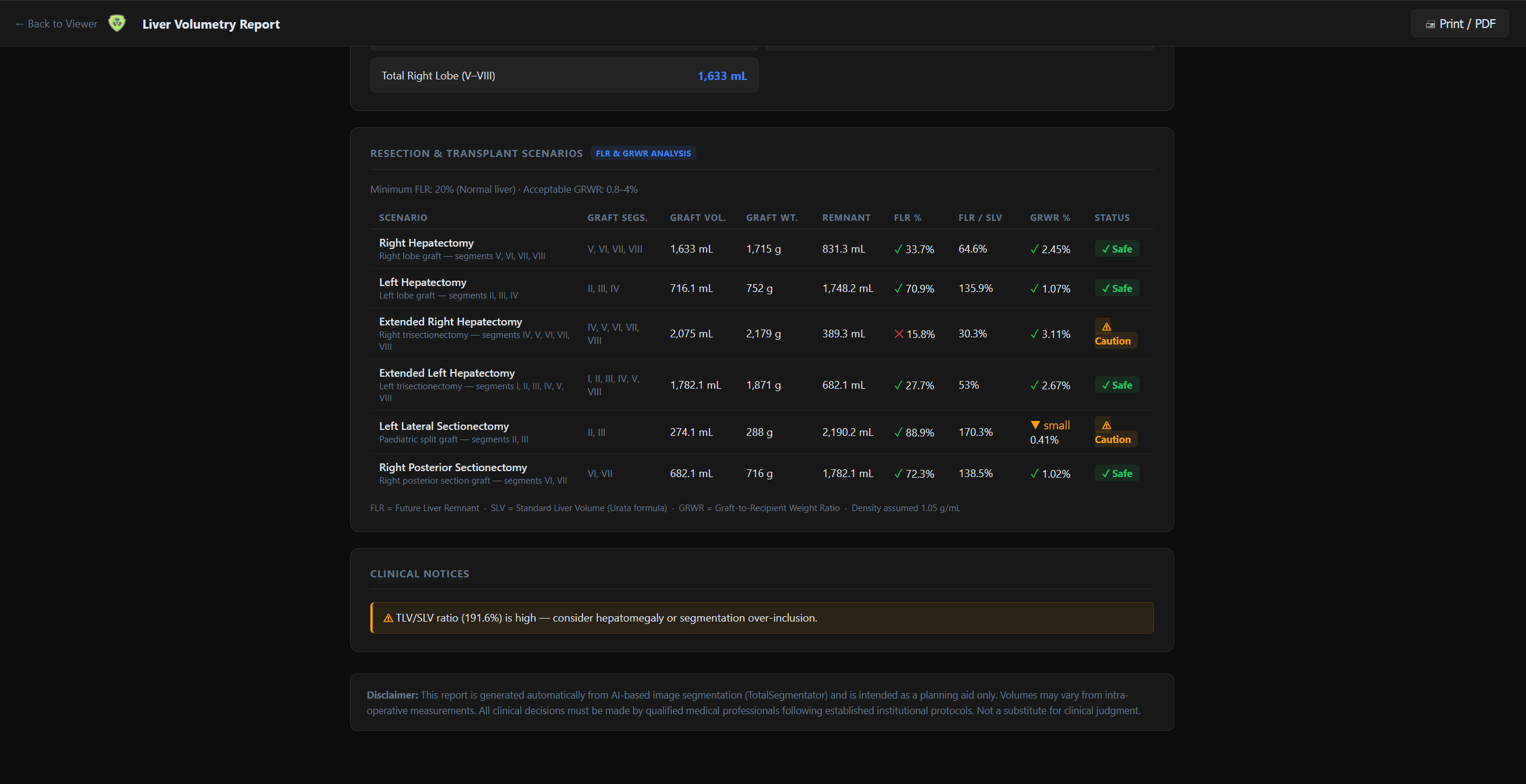
The same 8-segment map drives six standard resection and transplant scenarios — each benchmarked against FLR and GRWR safety thresholds and flagged Safe or Caution.

Scenario Graft segments FLR % GRWR % Status
Right HepatectomyRight lobe graft V, VI, VII, VIII 33.7% 2.45% ✓ Safe
Left HepatectomyLeft lobe graft II, III, IV 70.9% 1.07% ✓ Safe
Extended Right HepatectomyRight trisectionectomy IV, V, VI, VII, VIII 15.8% 3.11% ⚠ Caution
Extended Left HepatectomyLeft trisectionectomy I, II, III, IV, V, VIII 27.7% 2.67% ✓ Safe
Left Lateral SectionectomyPaediatric split graft II, III 88.9% 0.41% ⚠ Caution
Right Posterior SectionectomyRight posterior section graft VI, VII 72.3% 1.02% ✓ Safe
FLR = Future Liver Remnant · SLV = Standard Liver Volume (Urata formula) · GRWR = Graft-to-Recipient Weight Ratio · Minimum FLR 20% (normal liver) · Acceptable GRWR 0.8–4%
— Inside Liver Volumetry —

See the workflow for yourself.

Real screenshots from the platform — from synchronized MPR segmentation through 3D resection planning to the printable FLR/GRWR report.

— FAQ —

Common questions.

What is FLR and why does it matter?
FLR (Future Liver Remnant) is the volume of liver left after a planned resection, expressed as a percentage of total functional liver volume. A remnant below about 20% in a normal liver (higher thresholds for cirrhotic or steatotic livers) carries a materially higher risk of post-hepatectomy liver failure, so FLR is calculated automatically for every scenario and flagged Safe or Caution.
Which resection and transplant scenarios does it model?
Six standard scenarios are auto-modeled from the same segmentation: right hepatectomy, left hepatectomy, extended right hepatectomy, extended left hepatectomy, left lateral sectionectomy, and right posterior sectionectomy — each with graft volume, graft weight, remnant volume, FLR%, FLR/SLV, and GRWR%.
How does interactive resection planning work?
Pick an orientation — axial, coronal, or sagittal — and slide to the level, or drag handles for a fully oblique cut. Depth min/max controls how far the cut extends behind and beyond the plane. The cross-section preview computes live before you apply the resection.
Where does our imaging data live?
On your network. Liver Volumetry runs entirely on-premise via Docker, so CT/MRI data and PHI never leave your infrastructure. A HIPAA-compliant private cloud with BAA is also available.
— Ready when you are —

See Liver Volumetry on your scans.

15-minute demo on your own CT data. We'll show you the full pipeline from segmentation to resection planning to the FLR/GRWR report — no sales pressure, just the team that built it.